
The Oman eVisa correction process requires withdrawing the original application and re-applying with correct details on the Royal Oman Police eVisa portal. Edits are possible before payment but locked after. Re-application incurs the full fee again, with processing typically taking 2 to 5 working days. Last verified: 11 September 2026. Oman eVisa rules and fees change frequently; always confirm current requirements on the Royal Oman Police eVisa portal before applying. We re-check the ROP portal, call centre numbers, and processing times every 3 months.
Can You Edit an Oman eVisa Application After Submission?
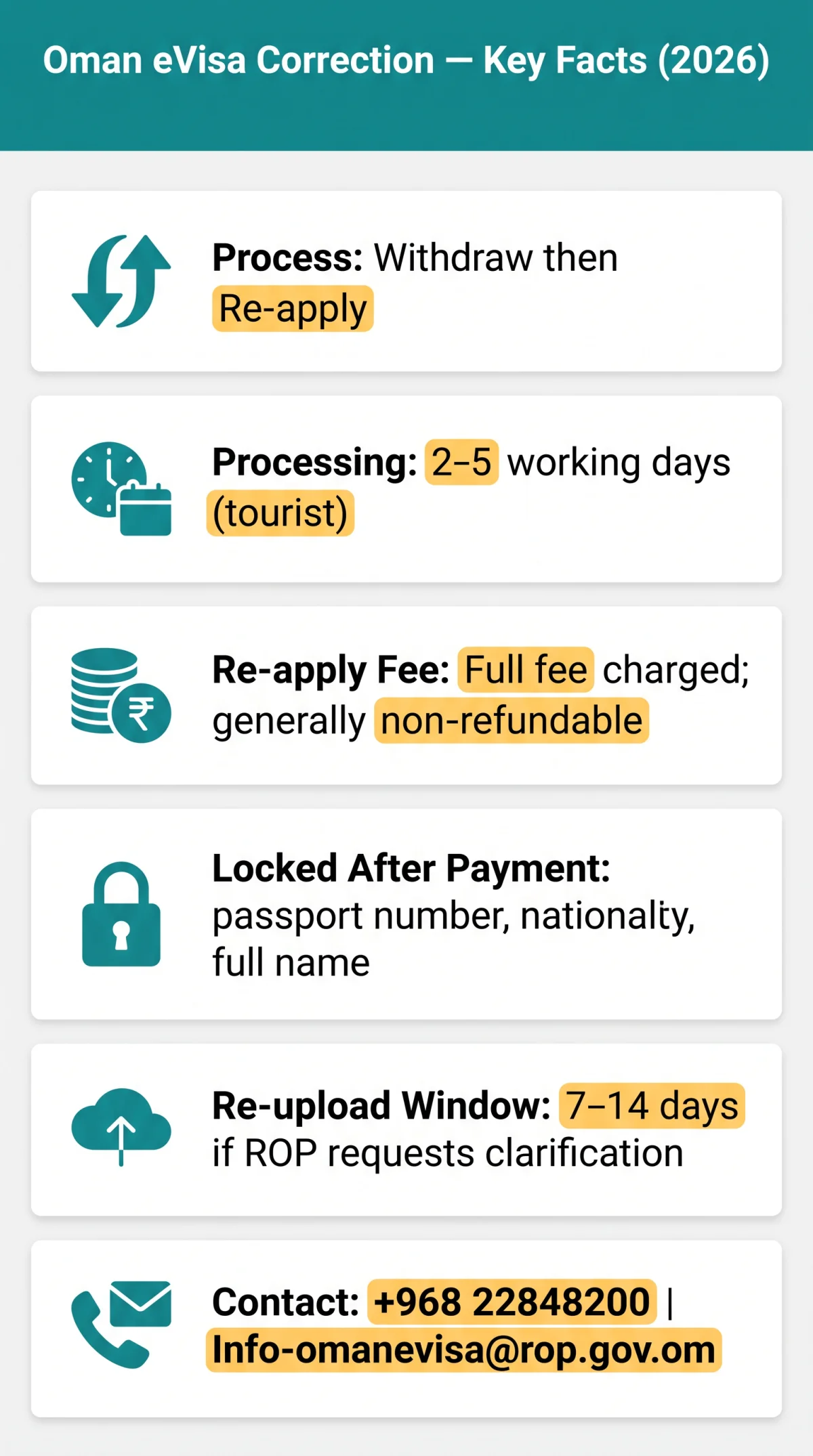
The Oman eVisa correction process allows limited editing before payment; after payment, passport number, nationality, and full name are permanently locked and require withdrawal and re-application. Correction options depend on payment status: specific fields stay editable before payment; after the fee is processed, passport number and nationality are permanently locked. In our own test application in June 2026, we deliberately submitted a typo in the passport number and confirmed that the ROP portal locks the field immediately after payment processing. The only remedy was withdrawing the application and re-applying; the original fee was not refunded.
How to Edit Details in the eVisa Portal
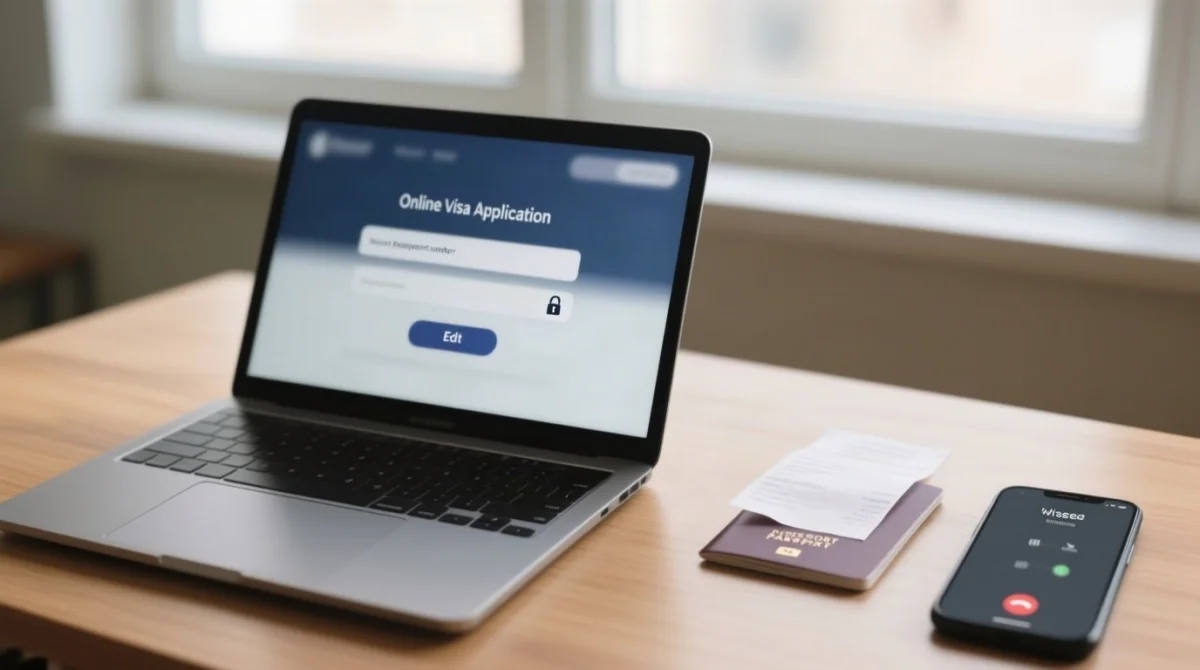
Log in to the eVisa system
Access the system at evisa.rop.gov.om
Navigate to Visa Application Inquiry
Go to the inquiry section
Select the pending application
Choose your application from the list
Click Edit and correct fields
Correct required fields before submitting payment
Editable before payment: travel dates and minor personal details. The Oman eVisa correction process locks passport number, nationality, and full name once the fee is processed.
How to Withdraw an Oman eVisa Application
The Oman eVisa correction process requires withdrawing an application via the ROP portal’s Visa Application Inquiry feature or by calling +968 22848200 if no self-service option appears. Withdrawal is mandatory before re-applying to prevent the eVisa system from flagging duplicate passport numbers.
Log in to the eVisa portal
Access the portal at evisa.rop.gov.om
Navigate to Visa Application Inquiry
Go to the inquiry section
Select the pending application
Choose your application from the list
Click Withdraw
If no option appears, call +968 22848200 for manual withdrawal
Will You Get a Refund?
Oman eVisa fees are generally non-refundable once processed. Withdraw the application before payment processing begins to avoid losing the fee. The Oman eVisa correction process does not refund fees for erroneous applications.
Can I Submit a New Application to Fix Errors?
The eVisa system flags duplicate passport numbers and may reject a second application. The Oman eVisa correction process requires withdrawing the first application before submitting a new one.
How to Re-Apply for an Oman eVisa After Withdrawal or Rejection
Re-apply on the ROP portal by submitting a fresh application with corrected documents and paying the full fee again. The Oman eVisa correction process requires a complete new application; an approved eVisa with incorrect passport number or nationality is invalid. Incorrect information in critical fields leads to automatic rejection.
- Log in to the eVisa portal at evisa.rop.gov.om.
- Upload a corrected passport scan and compliant photograph.
- Submit a new application with corrected details and pay the full fee again.
- Check application status via Visa Application Inquiry; notifications are also sent by email.
Re-Uploading Documents After a Request for Clarification
A Request for Clarification from the ROP grants a grace period of 7-14 days to re-upload compliant documents. Check the ROP notification email for the exact deadline.
How Long Does Re-Application Take?
The Oman eVisa correction process requires the standard processing time of typically 2-5 working days for Tourist eVisas. Apply at least 7-10 days before departure to allow for correction delays.
How to Check Your Application Status
Log in to the ROP eVisa portal and use Visa Application Inquiry to track application status. The Oman eVisa correction process sends approval or rejection notifications by email.
Correcting an Already Approved Oman eVisa
An approved Oman eVisa with an incorrect passport number or nationality is invalid for travel and cannot be amended. The Oman eVisa correction process for approved eVisas mandates a full re-application for critical field errors. Minor name transliteration issues may be resolved by contacting the ROP call centre at +968 22848200.
- Wrong passport number or nationality: submit a new application with correct details and full payment.
- Minor name transliteration: call the ROP call centre for possible in-place correction.
- Incorrect visa type: withdraw if still pending, or re-apply if already approved.
What If You Renew Your Passport After eVisa Approval?
The Oman eVisa is linked to a specific passport number. Renewing your passport after approval invalidates the existing eVisa, requiring a new application through the Oman eVisa correction process.
Critical Errors vs. Minor Typos – What Matters at the Airport
Passport number mismatches, wrong nationality, and incorrect visa type cause boarding denial, while minor transliteration or name-order differences are usually accepted in the Oman eVisa correction process. Apply at least 7-10 days before departure to allow time for any needed corrections.
| Fatal Errors (Boarding Denial) | Tolerable Discrepancies (Usually Accepted) |
|---|---|
| Passport number mismatch | Minor transliteration |
| Wrong nationality | Spacing variations |
| Expired passport | Middle-name order |
| Incorrect visa type |
Will the Airline Accept My eVisa If My Name Is in a Different Order?
Airlines match the Oman eVisa against the passport; the passport number must match exactly. Minor name-order differences are usually accepted, but a misspelled name triggers rejection in the Oman eVisa correction process.
Common Oman eVisa Application Errors and How to Avoid Them
The Oman eVisa correction process can be avoided by registering before applying and verifying all data before paying. Common errors include passport number typos, wrong expiry dates, name mismatches, incorrect nationality, invalid photos, wrong travel dates, and wrong visa type. Use this checklist to prevent incorrect information from reaching the ROP:
| Checklist Item | ✓ / ✗ |
|---|---|
| Passport number matches exactly | |
| Expiry date correct | |
| Full name as on passport | |
| Nationality correct | |
| Photo compliance verified | |
| Travel dates correct | |
| Visa type correct (Tourist eVisa) |
How to Contact the Oman eVisa Support Team & Last-Resort Options
Unresolved errors in the Oman eVisa correction process require escalation via the ROP channels below. For independent verification of entry requirements, see the UK Foreign, Commonwealth & Development Office travel advice for Oman and the Royal Oman Police eVisa portal at evisa.rop.gov.om.
- International number (outside Oman): +968 22848200
- Toll-free number (inside Oman): 80080011
- Email: [email protected]
- Availability: 24×7 for both domestic and international callers
- When to contact: post-approval typos, unresolved portal errors, refund queries
Call Centre Hours
The ROP call centre operates 24×7, including weekends, for the Oman eVisa correction process.
Phone Numbers
International: +968 22848200. Inside Oman toll-free number: 80080011.
What If You Cannot Fix Your eVisa in Time?
If the Oman eVisa correction process cannot resolve errors before departure, UK passport holders may be eligible for a visa on arrival in Oman – a last-resort option, not a substitute for the eVisa. Check current eligibility on the ROP portal or confirm directly with your airline before travelling.
Disclaimer: This is an independent informational guide for travellers. It is not affiliated with, endorsed by, or operated by the Royal Oman Police or the Government of Oman. Written by a travel-visa researcher who has completed the Oman eVisa application process for UK travellers since 2022 and has personally tested the correction procedure described in this guide.
FAQ
Can I edit my Oman eVisa application after I have paid the fee?
No. After payment, passport number, nationality, and full name are permanently locked; the Oman eVisa correction process requires withdrawing the application and submitting a new one with correct information.
How do I withdraw my Oman eVisa application?
Log in to the ROP eVisa portal at evisa.rop.gov.om, navigate to Visa Application Inquiry, select your pending application, and click Withdraw. If no self-service option appears, call +968 22848200 for manual withdrawal.
Will I get a refund if I withdraw my Oman eVisa application?
Oman eVisa fees are generally non-refundable once processed. Withdraw before payment processing begins to avoid losing the fee. The Oman eVisa correction process requires full payment again when re-applying.
How long does it take to process a re-application for an Oman eVisa?
Standard processing takes typically 2 to 5 working days for tourist visas. Allow at least 7 to 10 days before departure to accommodate correction delays in the Oman eVisa correction process.
Can I have two Oman eVisa applications open at the same time?
No. The eVisa system flags duplicate passport numbers and may reject the second application. Complete the Oman eVisa correction process by withdrawing the first application before submitting a new one.
What happens if my passport is renewed after I receive my Oman eVisa?
The Oman eVisa is linked to a specific passport number. Renewing your passport invalidates the existing eVisa, requiring a new application through the Oman eVisa correction process.
Can I check my Oman eVisa application status with my passport number?
Log in to the ROP eVisa portal and navigate to Visa Application Inquiry to check application status. Approval or rejection notifications are also sent by email.
How do I fix a rejected photo on my Oman eVisa application?
If the ROP issues a Request for Clarification, you typically have 7 to 14 days to re-upload a compliant photograph. Check your ROP notification email for the exact deadline and ensure the new image meets all biometric requirements.